
Insights into how your team works
Forget the guesswork when it comes to productivity. WhatPulse Professional shows you how your team gets things done, making it easier to support their success, manage resources, and improve performance—all while respecting privacy.

How WhatPulse Professional makes a difference
-
1Understand how work happens
-
See what tools your team relies on the most. Track app usage, keyboard activity, and network traffic. Spot trends and find ways to help your team work smarter.
-
2Help teams stay focused—without hovering
-
Know where time and attention go—no invasive monitoring needed. Use data-driven insights to support growth and team development.
-
3IT Management made simple
-
Stay on top of IT resources with real-time updates. See which software matters, where licenses are going unused, and how network traffic affects your team.
-
4Privacy comes first
-
Your team's trust is essential. Data collection is transparent, secure, and private—no hidden tracking.
The possibilities are endless
Discover a few examples of how WhatPulse Professional can help you and your team.
💸 Eliminating unused software licenses with real data
Faced with rising IT spend, a UK-based enterprise used WhatPulse Professional to audit real-world software usage across departments — without relying on surveys or self-reports. They discovered that only 35 of their 87 Adobe Creative Cloud licenses were in regular use. That insight alone saved them over $50,000 annually by reclaiming and reallocating licenses.
But the savings didn't stop there — the same approach helped optimize spend across multiple software suites. The result? Smarter procurement, tighter budgets, and better collaboration between IT and finance.
🧰 Tracking tool adoption after a rollout
When a logistics tech company moved from a clunky legacy desktop tool to a modern internal app, they used WhatPulse Professional to track real usage and adoption trends across the company. Instead of relying on anecdotal feedback, they had concrete data showing which departments embraced the change — and where to focus support.
🕰️ Using WhatPulse Profiles to track project time without manual timers
A growing creative agency needed accurate time tracking for client billing and project forecasting — but manual time trackers weren't cutting it. By using WhatPulse Professional's Profiles feature, they gained seamless, per-project time insights with zero overhead for their team.
📈 Measuring the impact of process changes with WhatPulse Professional
When a mid-sized insurance company rolled out a new CRM to streamline sales and policy servicing, they used WhatPulse Professional to establish a baseline and measure actual improvements. The result? Measurable reductions in administrative time and insight into where follow-up training was still needed.
📞 Meeting overload insight
With meeting fatigue rising in their remote-first team, a SaaS company used WhatPulse Professional to track how much time employees were spending in video calls. They uncovered hidden overload and used the data to reduce unnecessary meetings and reclaim focus time.
🏢 Using real data to inform Return-to-Office decisions
Facing pressure from executives to bring teams back to the office, a Swedish software company used WhatPulse Professional to measure performance differences between on-site and hybrid work. The data revealed hybrid employees were not only as productive, but more focused — reshaping the company's workplace strategy.
What our customers say
WhatPulse Professional is trusted by organizations of all sizes to help them understand their team's productivity and activity. Here's what our customers have to say.
Alex Johnson
CTO
San Francisco, CA
"WhatPulse Professional has transformed how we monitor productivity across our engineering teams. The advanced analytics helped us identify workflow bottlenecks and optimize our development environment. Our team velocity has increased by 20% since implementation."
Sarah Miller
IT Director
London, UK
"The centralized dashboard in WhatPulse Professional allows me to track software utilization across departments. We've saved over $50,000 annually by identifying underutilized licenses and optimizing our software procurement strategy."
Michael Chen
Infrastructure Manager
Toronto, Canada
"WhatPulse Professional's remote monitoring capabilities have been invaluable for our hybrid workforce. We can analyze usage patterns, ensure compliance, and make data-driven decisions about hardware upgrades and resource allocation."
Emily Rodriguez
Head of Engineering
Barcelona, Spain
"The team management features in WhatPulse Professional provide incredible insights into how different departments utilize our systems. We've improved cross-team collaboration and identified training opportunities that have measurably enhanced productivity."
David Kim
DevOps Team Lead
Seoul, South Korea
"WhatPulse Professional helped us quantify the impact of our recent developer tooling investments. The detailed usage analytics showed clear productivity improvements and helped us identify which team members needed additional support during the transition."
Jennifer Torres
Senior Software Developer
Austin, TX
"As an individual contributor who also mentors junior developers, WhatPulse Professional has been game-changing. I've optimized my own workflow based on the personal analytics, and I can provide targeted guidance to my mentees by reviewing their usage patterns and identifying areas for improvement."
All-in-one activity & productivity analytics
Measure and analyze your team's productivity with industry-leading features, all accessible through a powerful dashboard with security and privacy in mind.
-
Organization-wide computer usage dashboard.
-
Support for Windows and macOS.
-
Private and secured data storage.
-
Comprehensive application activity tracking.
-
Customizable alerts for data usage.
-
Cloud-based data backup.
-
Customizable data visualization and reporting.
-
Real-time network traffic monitoring.
-
Data export options for further analysis.
Boosting Efficiency and Productivity
-
How much does your team type?
Map your keyboard usage when you are typing, gather trending information and share your heat map with your coworkers.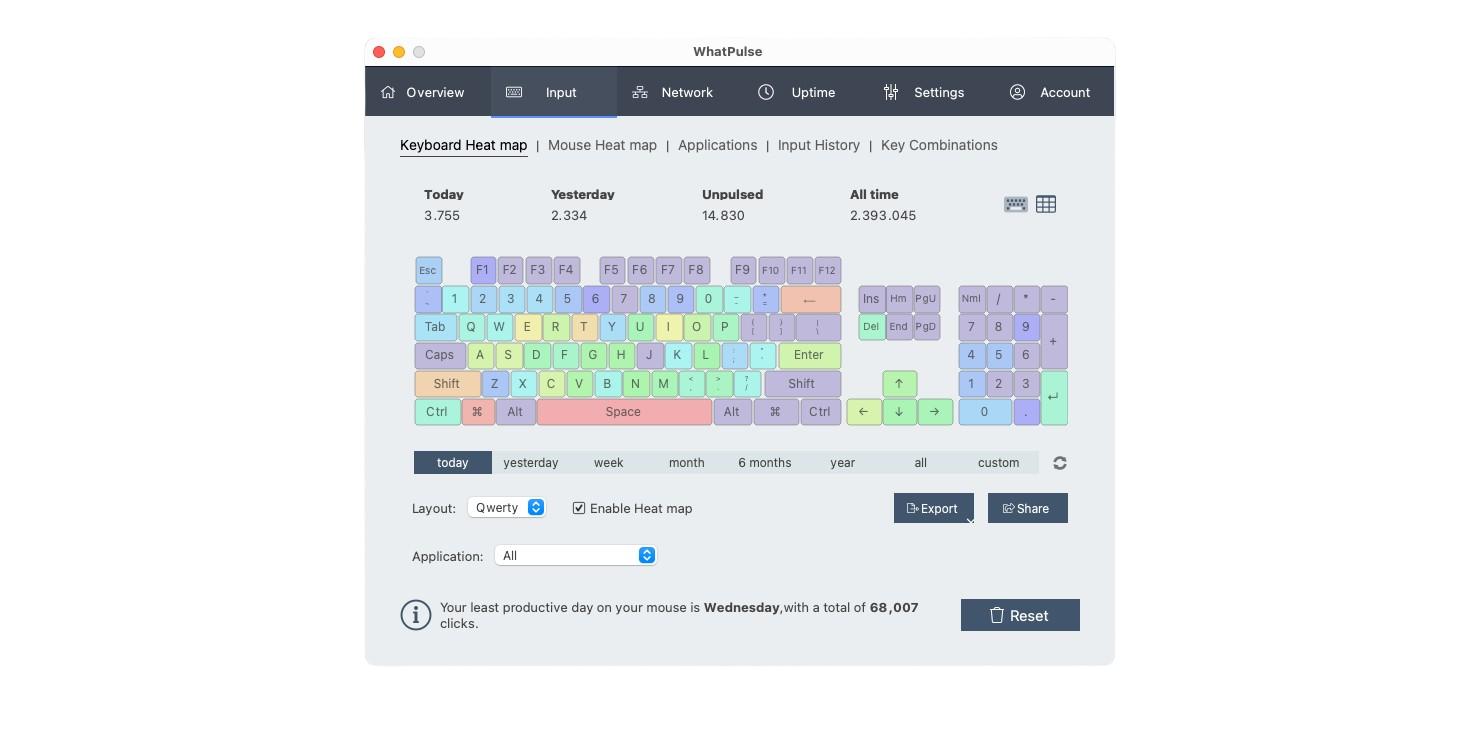
-
Application usage
Discover which applications are used throughout the organization the most, and which applications have the most focused time.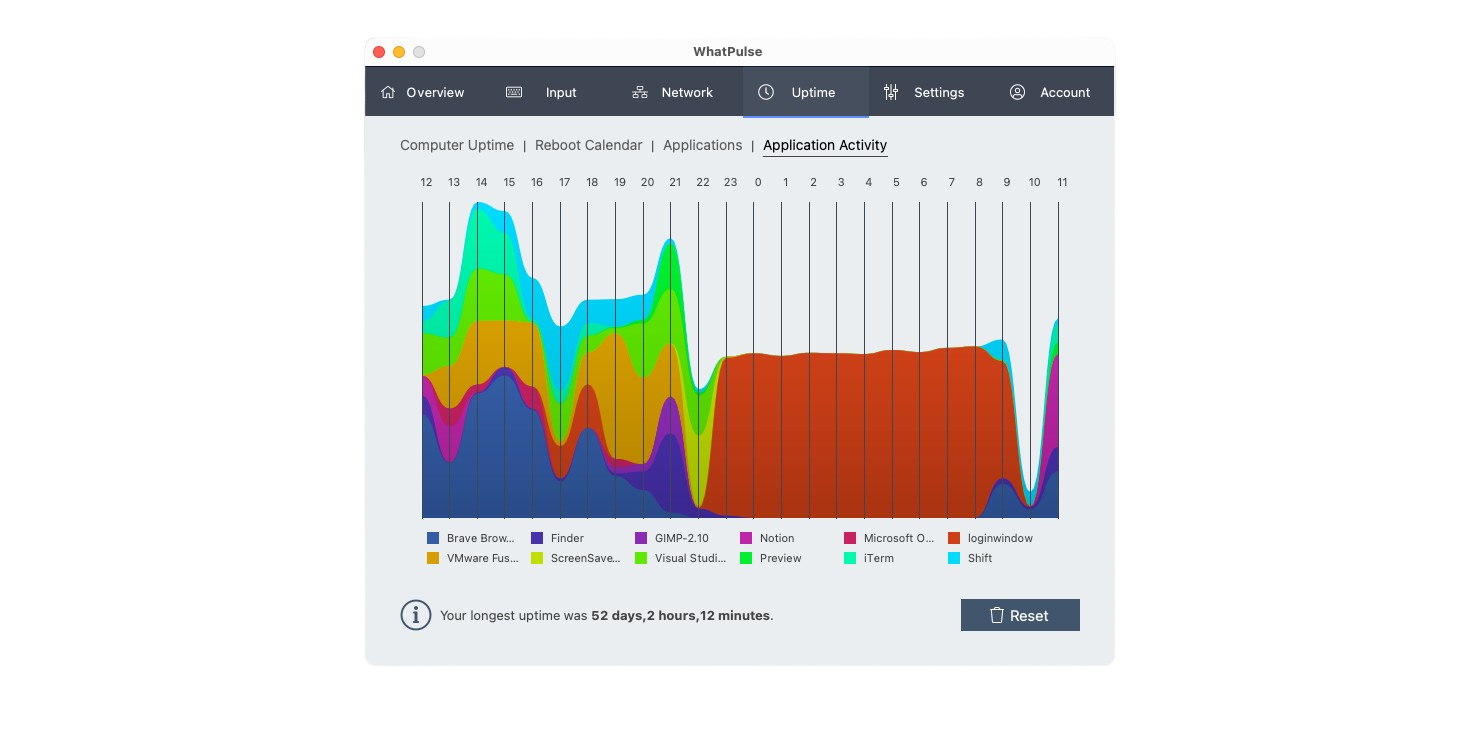
-
Remote computer management
Manage your computers remotely, activate and deactivate them, and assign them to users.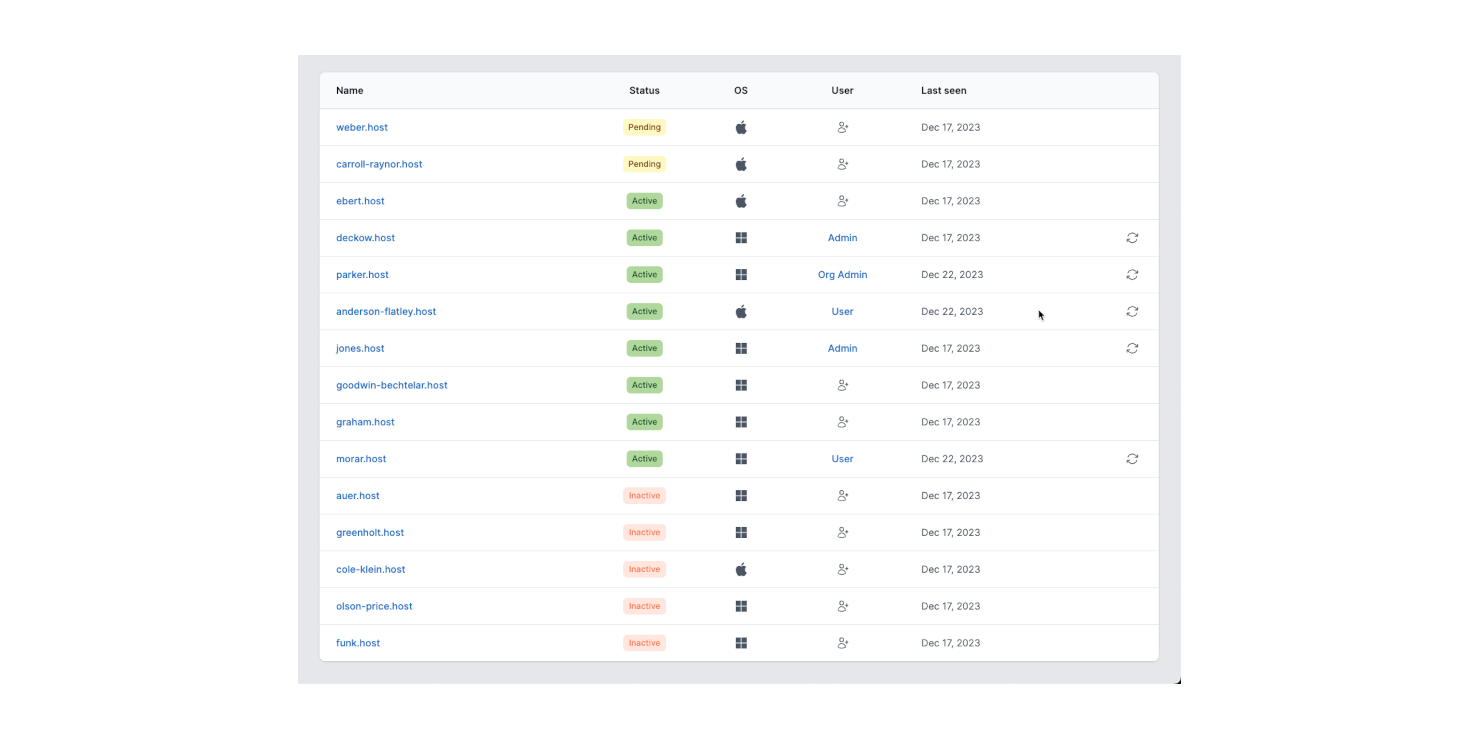
-
Organization-wide application usage
Map out application adoption over time, and see which application versions are deployed.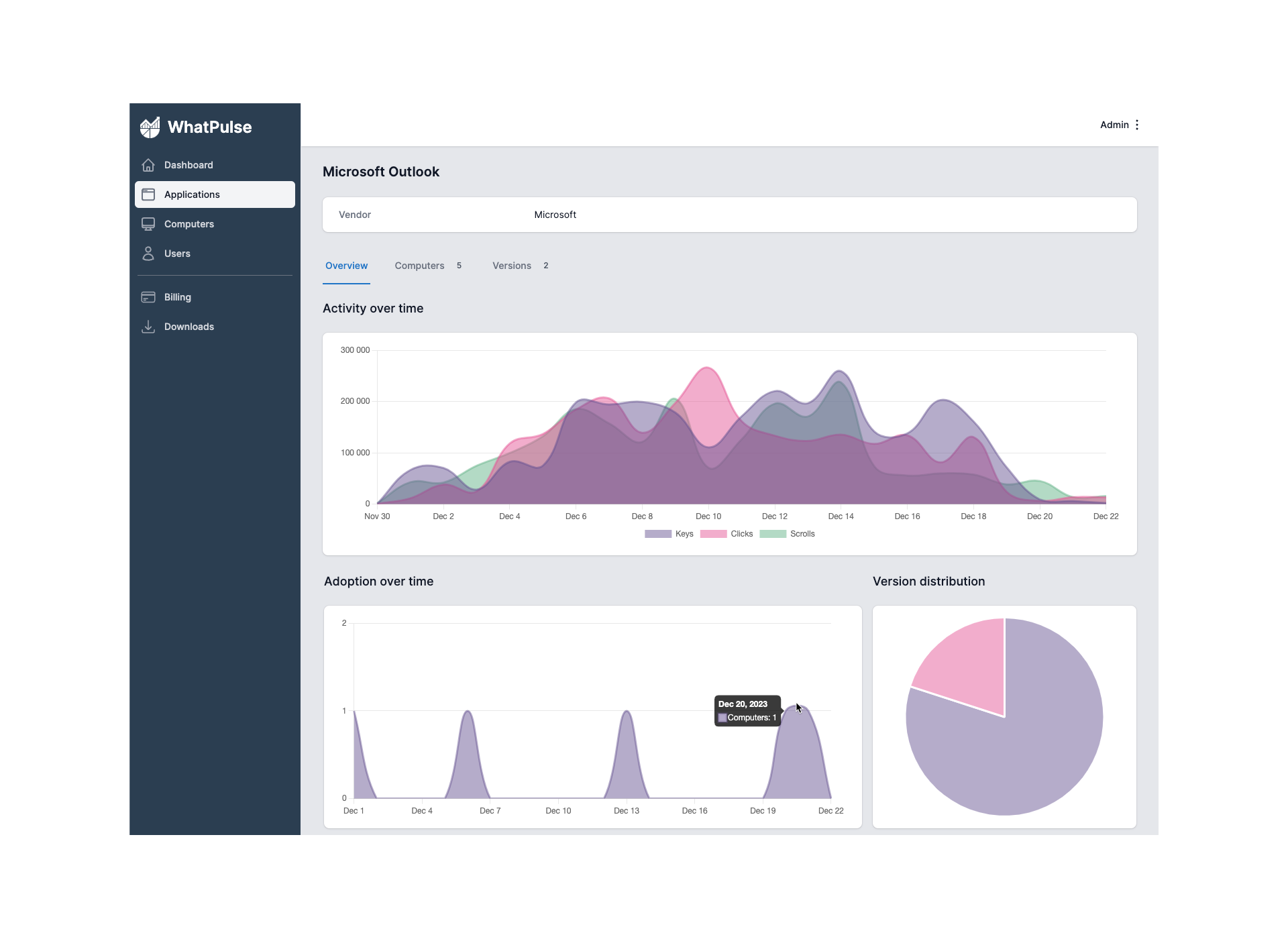
-
Mouse click maps
Have you organised your applications on the right parts of your screen? Map your mouse usage, and optimize the workspace layout.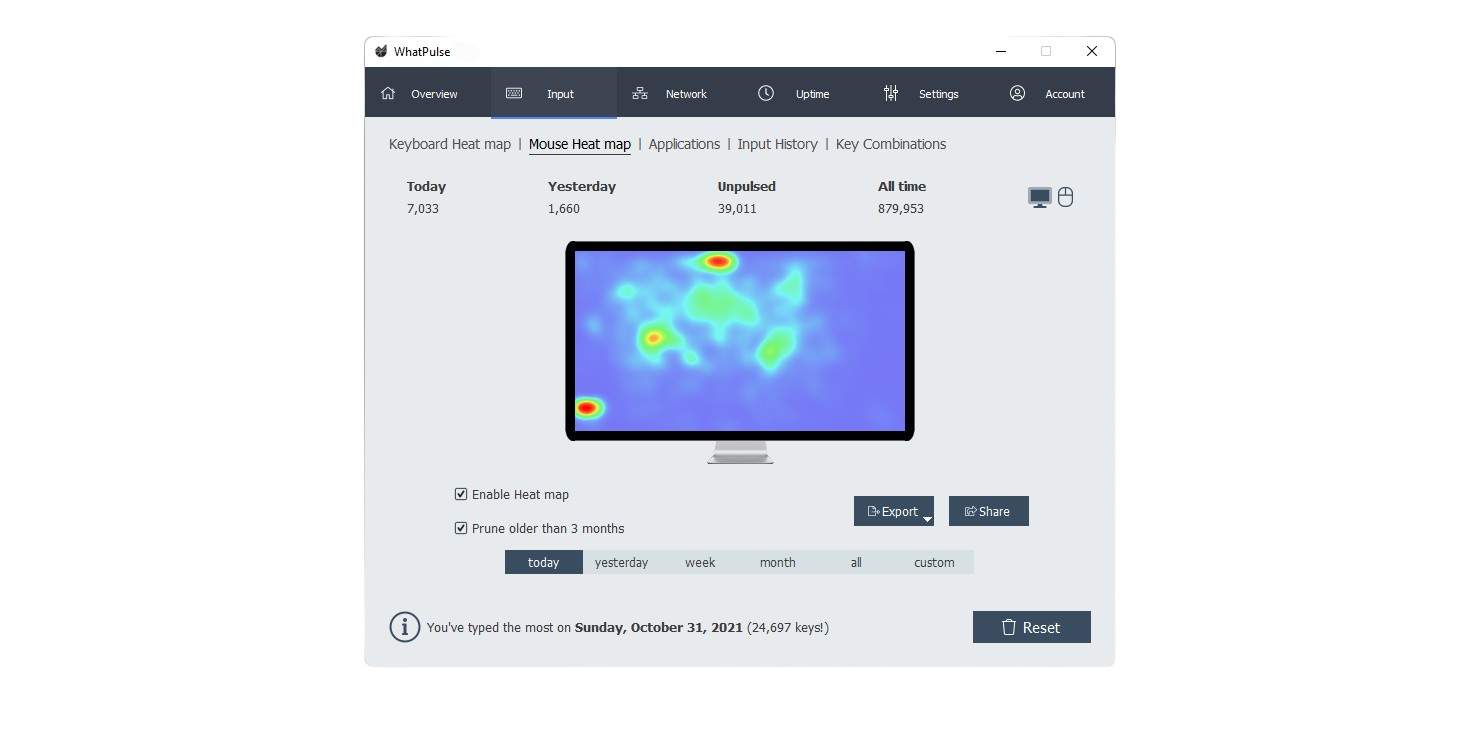
-
Track network traffic
Discover which applications are using up the most traffic, and using valuable bandwidth.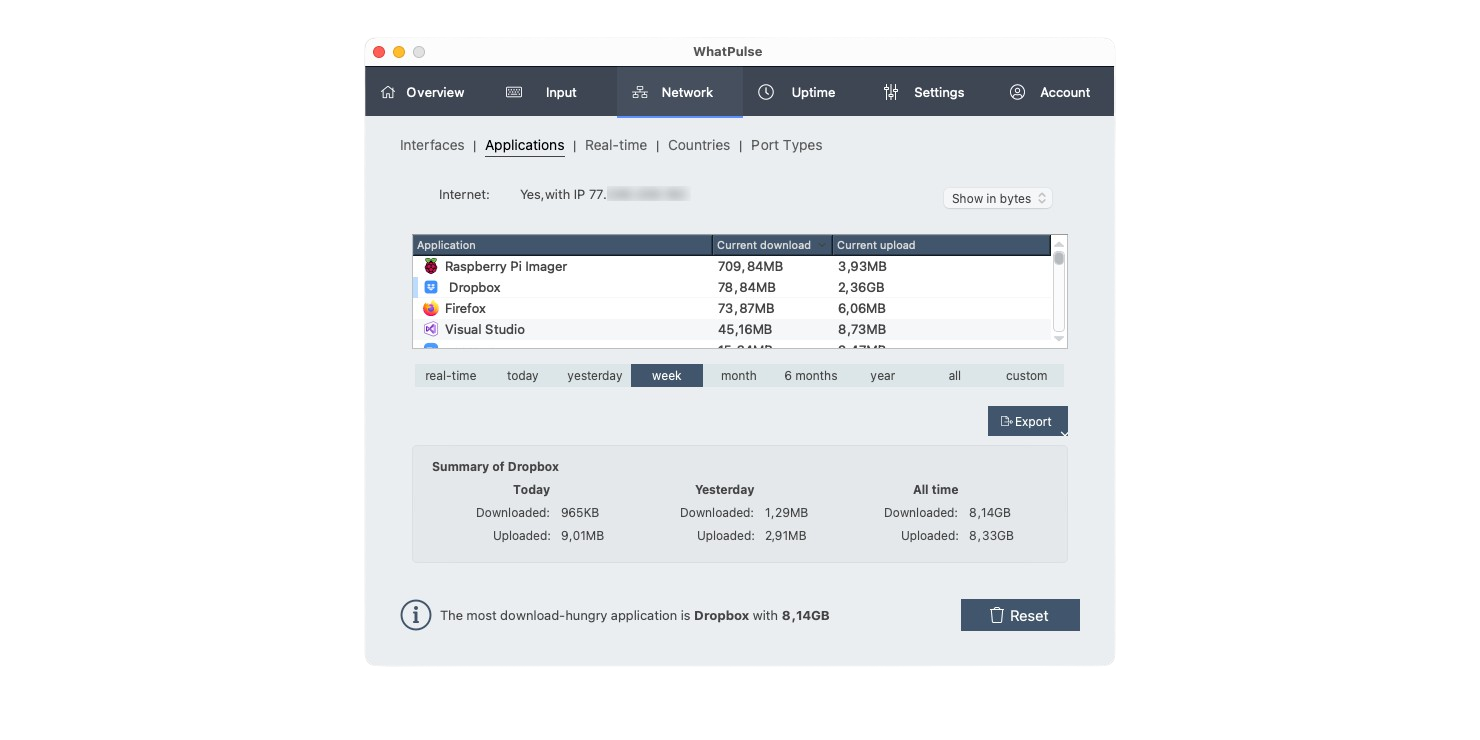
Frequently asked questions
-
To sign up, click on the "Get Started" button on the top right corner of the page. You will be asked to provide your email address. After confirming your email address, you will be able to create an account and your organization to invite your team members.
-
WhatPulse collects the following data: the number of clicks, keys, download, upload, uptime, distance and scrolls. This data is collected per application and per computer. WhatPulse does not collect the order in which these keys and clicks are made, making it impossible to reconstruct exactly what is typed on a computer. WhatPulse also does not collect any personal data, such as the contents of your files, apps, or your browsing history.
-
Your data is stored securely in the European Union, compliant with the GDPR. The WhatPulse software also stores data locally on your computer. Your data is not shared with any other third party, and can be deleted from WhatPulse at any time.
-
WhatPulse Professional is billed per computer, per month. You can add and remove computers from your organization at any time. You will be billed at the end of the month for the computers you have active in your organization.
-
We offer a 30-day money back guarantee. If you are not satisfied with WhatPulse Professional, you can request a refund within 30 days of your first payment.
-
WhatPulse Professional supports Windows and macOS. The Windows client supports Windows 10 and higher. The macOS client supports macOS 11 (Big Sur) and higher.